
As a creator, managing your Instagram presence can be overwhelming.
Responding to every comment and DM is crucial for building community — but it's also time-consuming.
That’s where automated Instagram DMs come in.
In this guide, you’ll learn:
- ✅ Why automating Instagram DMs is a must
- ✅ Top tools that help you do it
- ✅ A step-by-step tutorial using DripLink
- ✅ A comparison table to help you choose the right tool
🚀 Why Automate Instagram DMs?
Automating your DMs can help you:
- ⚡ Respond to comments in real-time — even when offline
- 🎯 Send personalized messages that feel authentic
- 📈 Boost engagement and drive conversions
- ⏳ Save time and focus on creating quality content
🛠️ Tools for Automating Instagram DMs
Here are 3 top tools to help you get started:
1. ManyChat
ManyChat is a powerful messaging platform that supports Instagram DM automation via keyword triggers, custom replies, and analytics.
- 💵 Pricing: Starts at $15/month (free trial available)
- ⚙️ How to Use:
1. Sign up and connect your Instagram profile
2. Go to the “Automations” tab
3. Choose trigger type (e.g., comment)
4. Customize the message + keywords
5. Publish your automation
2. Chatfuel
Chatfuel offers AI-based chatbot features, personalized messaging, and performance tracking.
- 💵 Pricing: Starts at $50/month (free trial available)
- ⚙️ How to Use:
1. Create an account and connect Instagram
2. Go to the “Chatbots” section
3. Set up a comment trigger
4. Add custom text and keyword rules
5. Save and launch the chatbot
3. Driplink — Best Free Tool
Driplink is a web app built for creators to automate Instagram DMs based on comment triggers — and it's completely free.
- 💸 Pricing: 100% Free
- ⚙️ How to Use: To automate your Instagram DMs with Driplink, follow these steps
3.1 Sign up & connect your Instagram
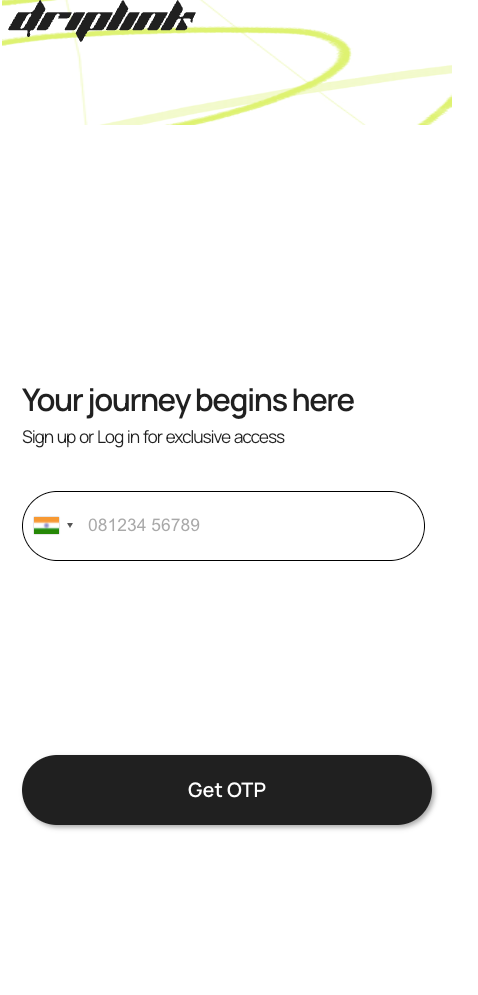
DripLink SignUp page
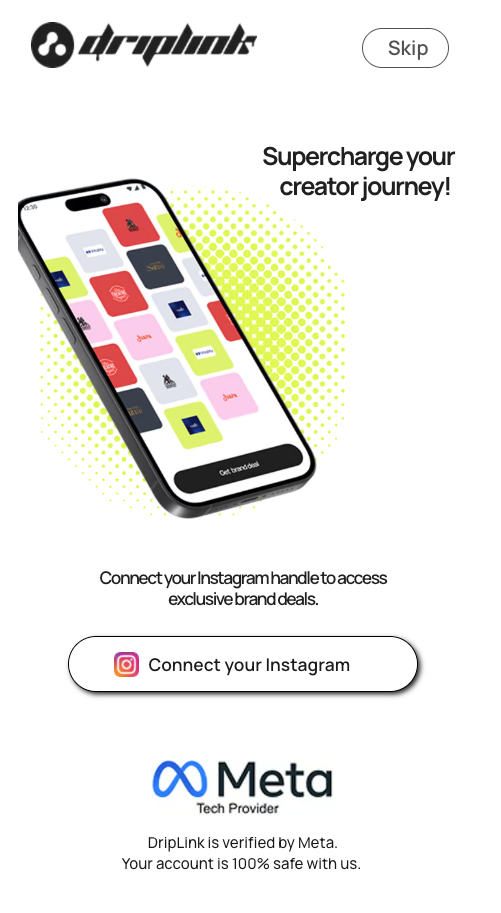
Connect Instagram on DripLink
3.2 Go to the “Automations” tab
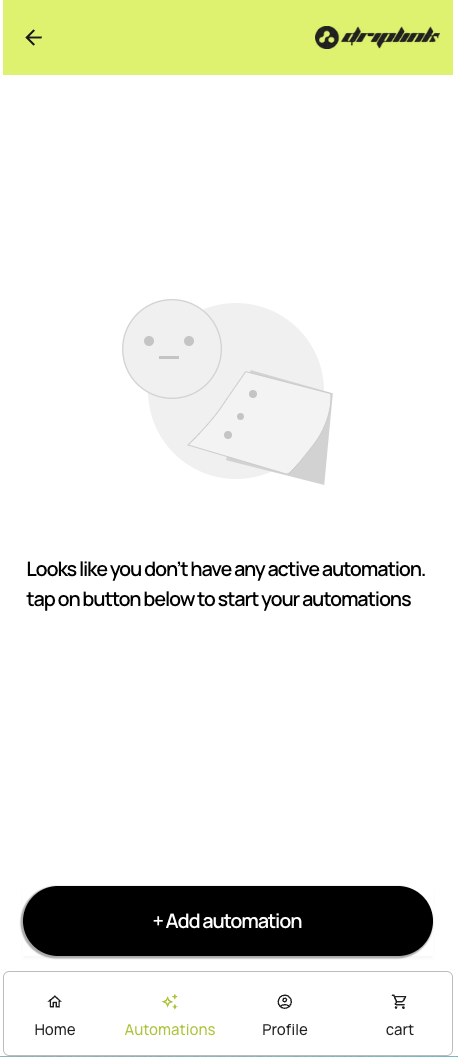
Automation tab in DripLink
3.3 Choose a post + trigger word
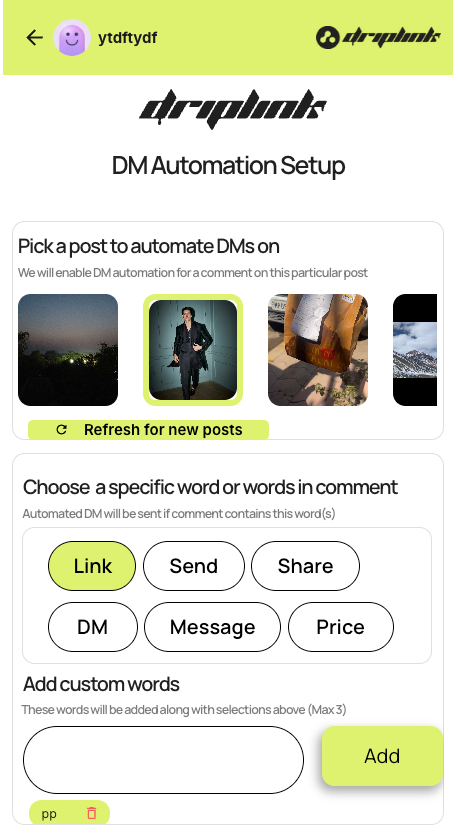
Post and trigger word selection
3.4 Customize your DM + add a link
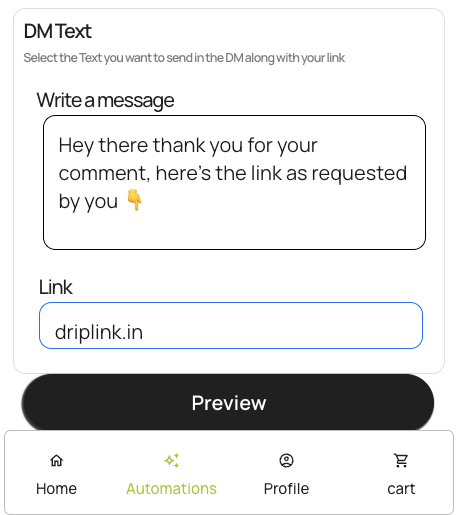
Customize DM text and add link
3.5 Publish your automation
Preview and save your setup — and you're live! 🎉
📊 Tool Comparison
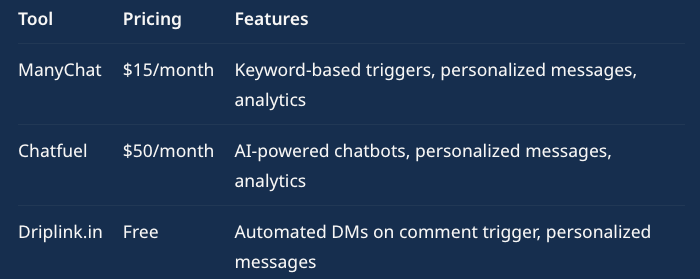
Comparison Table
✅ Conclusion
Automating your Instagram DMs is a must for creators who want to:
- Save time ⏳
- Boost engagement 🔥
- Build authentic connections ❤️
While tools like ManyChat and Chatfuel are great, Driplink stands out as a simple and free solution designed for creators.
Try Driplink today and see the difference it makes in your content journey!